Buying on spot
Spot is the simple purchase: you pay and you get the coin. No deadline, no margin, nobody closing the position for you. This is where you start.
You will send a buy order and understand every number the screen showed beforehand.
Renato UlianovNarration over the screen
Two coins, always
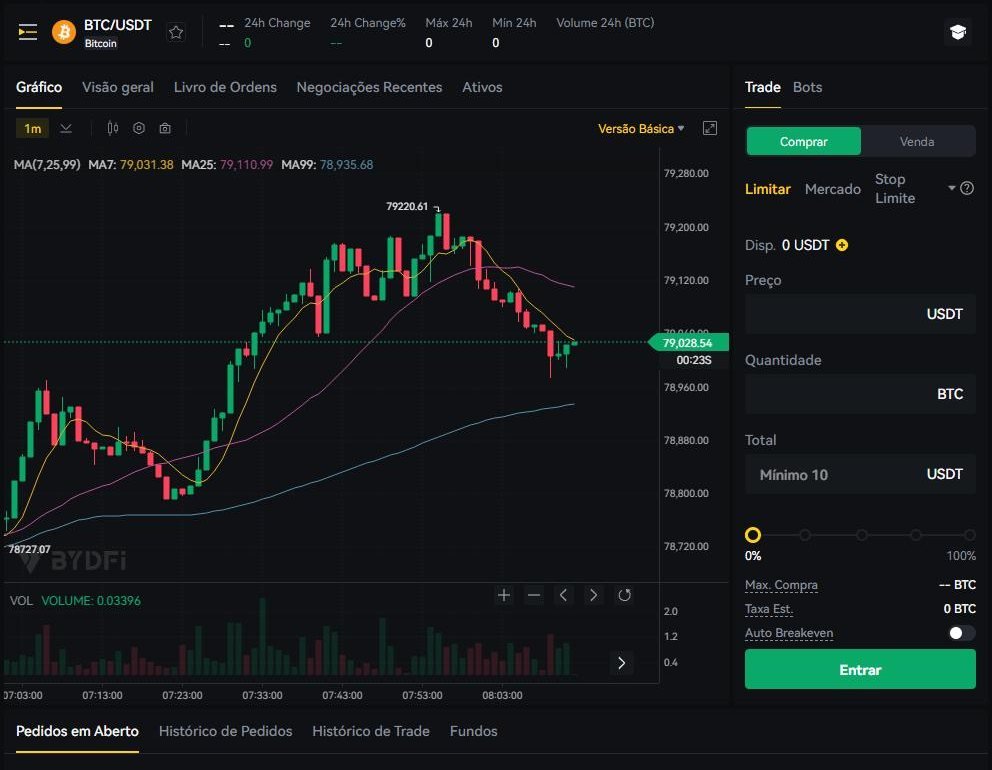
At the top is the pair: BTC/USDT means you trade bitcoin and the price is counted in USDT. The first coin is the goods; the second is the ruler.
Changing the pair changes both at once. That is why the same bitcoin shows different numbers on different pairs.

The side, the type, the amount
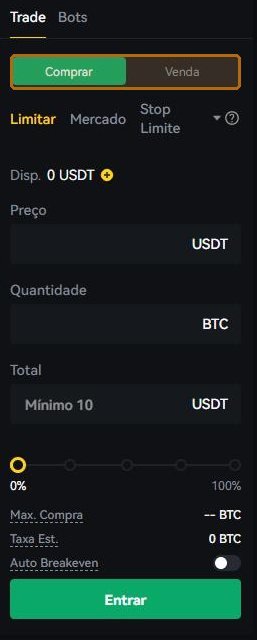
The side is buy or sell. The type is how the order goes in. The amount is the size. That is the whole screen; everything else is help to fill those three fields.
Limit writes the price; market takes what exists
In a limit order you write the price and the order waits. If the market never gets there, it does not fill — and waiting is its correct behaviour, not a fault.
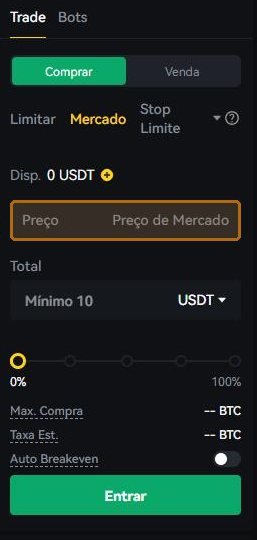
In a market order the price field disappears: you accept whatever price is available, now. It is immediate, which is why it can come out worse than the number you saw — the price on the screen is the last trade, not a promise.
Price, amount and total are one multiplication
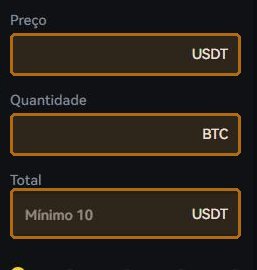
Fill two and the screen computes the third: price × amount = total. The percentage slider below is a shortcut for “use this share of my balance”.
Start from the total. It is easier to decide “I want to put in twenty dollars” than “I want 0.00025 of something”.
The minimum and the fee, before the click
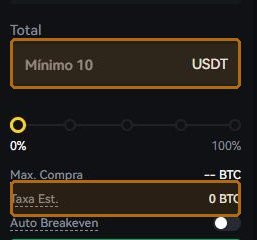
The screen shows the order minimum — ten dollars on the pair captured for this lesson — and the estimated fee. Both appear before you confirm.
Fee levels are not this section's subject because they change over time and by account; the screen always shows the current one. What does not change is the habit: read the estimated fee before pressing.
Mixing up amount and total. Typing 100 in the coin field is not the same as spending 100.
A market order on an illiquid pair. On a thinly traded coin the average price comes out much worse than the screen's.
A limit price far from the market. The order simply never fills, and you conclude it “did not work”.
- The order left Open Orders — meaning it filled.
- The coin shows up in the balance, in the amount I expected.
- I know what I paid in fees, because I saw it before confirming.
Every screen on the exchange has Customer Support in the footer, and the Help Centre has self-service for the three things that most often get stuck: resetting the password, finishing verification and re-doing the two-step app. If none of that solves it, the written channel is cs@bydfi.com. Do not guess: a ticket costs ten minutes, a guess can cost the account.